How to Set Up n8n Locally: A Beginner's Guide to Cost-Free AI Automations
Video: The core components of a local AI automation engine.
Why a Local Setup? The Power of Privacy and Control
Before we dive in, why go through the trouble of a local setup? Three reasons: privacy, cost, and power.
- Privacy: When you run your automation locally, your sensitive company data and proprietary prompts never leave your own machine.
- Cost: Instead of paying for every single API call to a service like OpenAI, you're using your own computer's resources. The cost is a one-time hardware investment, not a recurring bill.
- Power: You are not limited by a platform's usage caps or rules. Your engine can run as much as you want, whenever you want.
The Core Components of Your Private AI Engine
Building a local automation engine sounds complex, but it boils down to three key components working in harmony. Think of it as a car: you need a chassis and body, an engine, and the fuel to make it run.
1. The Brain: The n8n Automation Platform
n8n is the core of our setup. It's the visual platform where you'll build, manage, and run your workflows. The easiest and most reliable way to run n8n on your own machine is with Docker, a tool that packages applications into neat, self-contained environments. While the technical setup can have a few hurdles, getting n8n running via Docker means you have a stable, isolated automation brain ready to connect to other services.
2. The Creative Mind: A Global Array of Local LLMs
This is where the "AI" in AI automation comes from. Instead of sending data to an external service, you can run powerful open-source language models directly on your computer. The two best tools for this are Ollama & LM Studio. They make downloading and running complex LLMs incredibly simple, allowing you to start a local server that n8n can talk to.
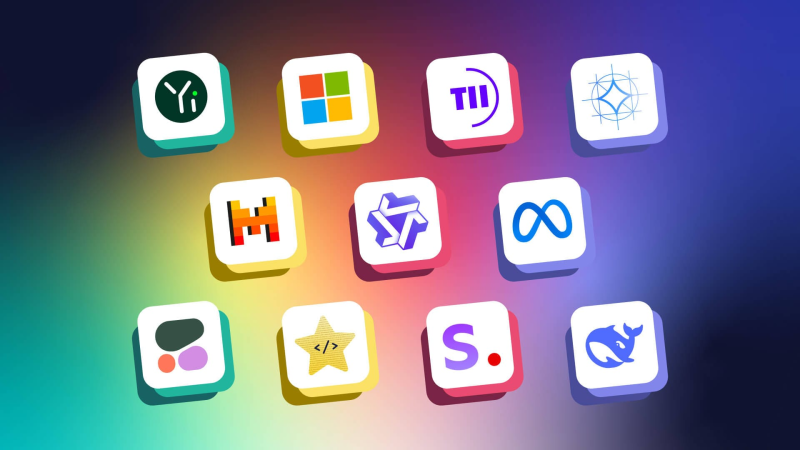
The open-source race is a global phenomenon, with top-tier models emerging from all corners of the world. The model you choose will depend on your hardware. Here’s a general guide to some of the best performers in 2025:
- For GPUs with 8GB VRAM: This is the sweet spot for running some of today's most popular and efficient models. They are perfect for tasks like copywriting, summarization, and data extraction.
- Meta-Llama-3-8B: The latest from Meta, an incredible all-around performer for its size.
- Mistral-7B-Instruct: A highly capable model from the innovative French AI company, known for its strong reasoning.
- Microsoft-Phi-3-mini: An incredibly fast and capable model that often punches well above its weight class.
- For GPUs with 12GB VRAM: This tier unlocks more powerful models, including "Mixture of Experts" (MoE) models that can provide more nuanced and detailed responses.
- ChatGPT-OSS-20B (Quantized): A powerful open-source model that delivers excellent performance in this hardware bracket.
- Mixtral-8x7B: A very popular MoE model that delivers performance rivaling much larger models on many tasks.
- Cohere-Command-R: A powerful model designed for enterprise use cases with strong conversational abilities.
- For GPUs with 16GB+ VRAM: This is where you enter the big leagues. This tier puts a huge array of powerful, state-of-the-art models within your reach, many of which come from China's leading tech companies and consistently top the global leaderboards.
- Qwen1.5-72B (Quantized): From Alibaba, this model is a powerhouse known for its strong multilingual capabilities and reasoning skills, directly competing with the best in the world.
- Yi-Large (Quantized): Developed by 01.AI, this model has been a top performer on leaderboards, often rivaling models like Llama 3 70B.
- DeepSeek-V2: A highly efficient and powerful Mixture-of-Experts model that has been praised for its performance, especially in coding and technical reasoning.
- Meta-Llama-3-70B (Quantized): The top-tier open model from Meta, which serves as a great benchmark for the incredible performance you can achieve with this level of hardware.
3. The Muscle: The Right Hardware
This is the reality check. Running powerful AI models locally requires a capable machine. While you don't need a supercomputer, a standard office laptop won't cut it. The most important component is a modern, powerful Graphics Card (GPU), preferably from NVIDIA (like an RTX 30- or 40-series). As you can see from the list above, the amount of Video RAM (VRAM) on your GPU directly determines the power and quality of the AI models you can run.
Putting It All Together
Once these three components are in place, the workflow is simple. Your n8n instance sends a request to the local server run by Ollama or LM Studio. The LLM on your machine processes the prompt and generates the content—a blog post, a social media update, a marketing email—and sends it back to n8n. From there, n8n can take that content and publish it anywhere you want.
The possibilities are endless. Once this foundation is built, you can expand it by connecting to other services, like an image generation API from AI Studio to create visuals with models like Nano Banana, or experiment with a wide range of other powerful open-source LLMs.
Conclusion: The Path to True Automation
Setting up a local AI automation engine is the first and most important step toward taking full control of your marketing workflows. It provides a private, powerful, and scalable foundation to run any workflow you can imagine, whether you build it yourself or use a pre-built template.
While the process can be technically challenging, the strategic advantage it provides is immense. If you want the power of a private, custom-built AI automation engine without the technical hurdles, our team of experts can design and implement a solution tailored to your business needs. Contact us at hello@bangkok8-ai.com to learn more.
```